Más información
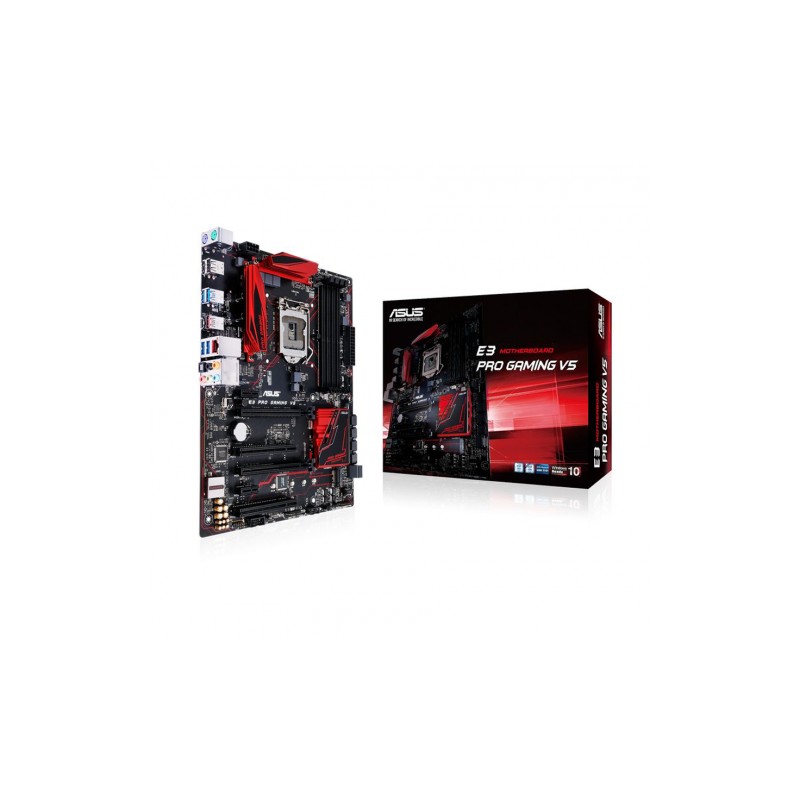
CPUIntel® Socket 1151 for Xeon® E3-1200 v5 and 6th genereation CoreTM, Pentium® and Celeron® Processors Supports Intel® 14 nm CPUSupports Intel® Turbo Boost Technology 2.0 * The Intel® Turbo Boost Technology 2.0 support depends on the CPU types.ChipsetIntel® C232Memoria4 x DIMM, Max. 64GB, DDR4 2133 MHz Non-ECC, Un-buffered Memory Dual Channel Memory Architecture Supports Intel® Extreme Memory Profile (XMP)* Hyper DIMM support is subject to the physical characteristics of individual CPUs. Soporte Multi-GPUSupports AMD Quad-GPU CrossFireX™ Technology Supports AMD 2-Way CrossFireX Technology Puertos de Expansión1 x PCIe 3.0/2.0 x16 (x16 mode, ) 1 x PCIe 3.0/2.0 x16 (max at x4 mode) *12 x PCIe 3.0/2.0 x1 2 x PCI Almacenamiento Intel® C232 chipset : 1 x M.2 Socket 3, with M Key design, type 2242/2260/2280/22110 storage devices support (Supports both SATA & PCIE SSD)*26 x SATA 6Gb/s port(s), Support Raid 0, 1, 5, 10Intel® Rapid Storage Technology Enterprise supportsLANIntel® I219LM, 1 x Gigabit LAN Controller(s), GameFirst technologyAnti-surge LANGuardAudioSupremeFX 8-Channel High Definition Audio CODEC - Supports : Jack-detection, Multi-streaming, Front Panel MIC Jack-retasking- High quality 115 dB SNR stereo playback outputAudio Feature :- SupremeFX Shielding™ Technology- Optical S/PDIF out port(s) at back panel- Sonic Radar IIPuertos USBASMedia® USB 3.1 controller : 1 x USB 3.1 port(s) (Type-A)ASMedia® USB 3.1 controller : 1 x USB 3.1 port(s) (Type-C, Reversible)Intel® C232 chipset : 6 x USB 3.0/2.0 port(s) (4 at back panel, blue, 2 at mid-board)Intel® C232 chipset : 6 x USB 2.0/1.1 port(s) (2 at back panel, , 4 at mid-board)Capacidades EspecialesGamer's Guardian:- ESD Guards on LAN, Audio, KBMS and USB3.0/2.0 ports- DRAM Overcurrent Protection- Stainless Steel Back I/O- Highly Durable Components- DIGI+ VRMASUS EPU :- EPU ASUS Exclusive Features :- Ai Charger+- ASUS UEFI BIOS EZ Mode featuring friendly graphics user interface - USB 3.1 Boost- Disk UnlockerASUS Quiet Thermal Solution :- Stylish Fanless Design Heat-sink solution- ASUS Fan Xpert 3ASUS EZ DIY :- ASUS CrashFree BIOS 3 - ASUS EZ Flash 3 - ASUS UEFI BIOS EZ Mode- Push NoticeASUS Q-Design :- ASUS Q-Shield- ASUS Q-LED (CPU, DRAM, Boot Device LED)- ASUS Q-Slot- ASUS Q-DIMM Media StreamerRAMCacheSistema Operativo SoportadoWindows® 10 , 64bitWindows® 8.1 , 64bitWindows® 7 , 32bit/64bit Puertos posteriores I/O1 x PS/2 keyboard (purple)1 x PS/2 mouse (green)1 x LAN (RJ45) port(s)1 x USB 3.1 (red)Type-A1 x USB 3.1 Type-C4 x USB 3.0 2 x USB 2.0 1 x Optical S/PDIF out5 x Audio jack(s)Internal I/O1 x USB 3.0 connector(s) support(s) additional 2 USB 3.0 port(s) (19-pin)2 x USB 2.0 connector(s) support(s) additional 4 USB 2.0 port(s)1 x M.2 Socket 3 with M Key design, type 2242/2260/2280/22110 storage devices support (Supports both SATA & PCIE SSD)1 x COM port(s) connector(s)6 x SATA 6Gb/s connector(s)1 x CPU Fan connector(s) (1 x 4 -pin)3 x Chassis Fan connector(s) (3 x 4 -pin)1 x 24-pin EATX Power connector(s)1 x 8-pin ATX 12V Power connector(s)1 x Front panel audio connector(s) (AAFP)1 x System panel(s) 1 x Thermal sensor connector(s)1 x CPU OV1 x Clear CMOS jumper(s)1 x Water Pump header (4-pin)1 x ROG extension (ROG_EXT) header(s)AccesoriosUser's manualI/O Shield4 x SATA 6Gb/s cable(s)1 x M.2 Screw Package1 x pack of cable tie1 x Supporting DVD1 x 12 in 1 Cable Label (s)BIOS128 Mb Flash ROM, UEFI AMI BIOS, PnP, DMI3.0, WfM2.0, SM BIOS 3.0, ACPI 5.0, BIOS multilingüe, ASUS EZ Flash 3, CrashFree BIOS 3, F11 EZ Tuning Wizard, F6 Qfan Control, F3 Mis favoritos, Notas rápidas, Últimos registros,F12 PrintScreen e información de memoria ASUS DRAM SPD (Serial Presence Detect) ManejoWfM 2.0, DMI 3.0, WOL by PME, PXEDisco de SoporteDriversASUS UtilitiesASUS EZ Update Anti-virus software (OEM version)Form FactorATX Form Factor 12 inch x 9.6 inch ( 30.5 cm x 24.4 cm ) Nota*1: Cuando se instalan dispositivos x4 o más rápidos en la ranura PCIE x16_2, las PCIE x1_1 y PCIE x1_2 se desactivan. *2: Cuando el zócalo 3 M.2 trabaja en modo SATA, el puerto SATA 1 se desactiva.*3: Antes de crear una RAID en Windows 7, te recomendamos que instales Windows 7 primero via ASUS EZ Installer.*4: Visita el sitio web de ASUS, descarga la guía de instalación Windows 7 y el instalador ASUS EZ para instalar Windows® 7.

 Ver más grande